
A quiet place
to write.
Writa is a distraction-free writing app for iPhone, iPad and Android. Plain text, simple markup, and beautiful exports, with nothing in your way.
Launching soon on the App Store and Google Play.
Everything you need, nothing you don't
Made for writing.
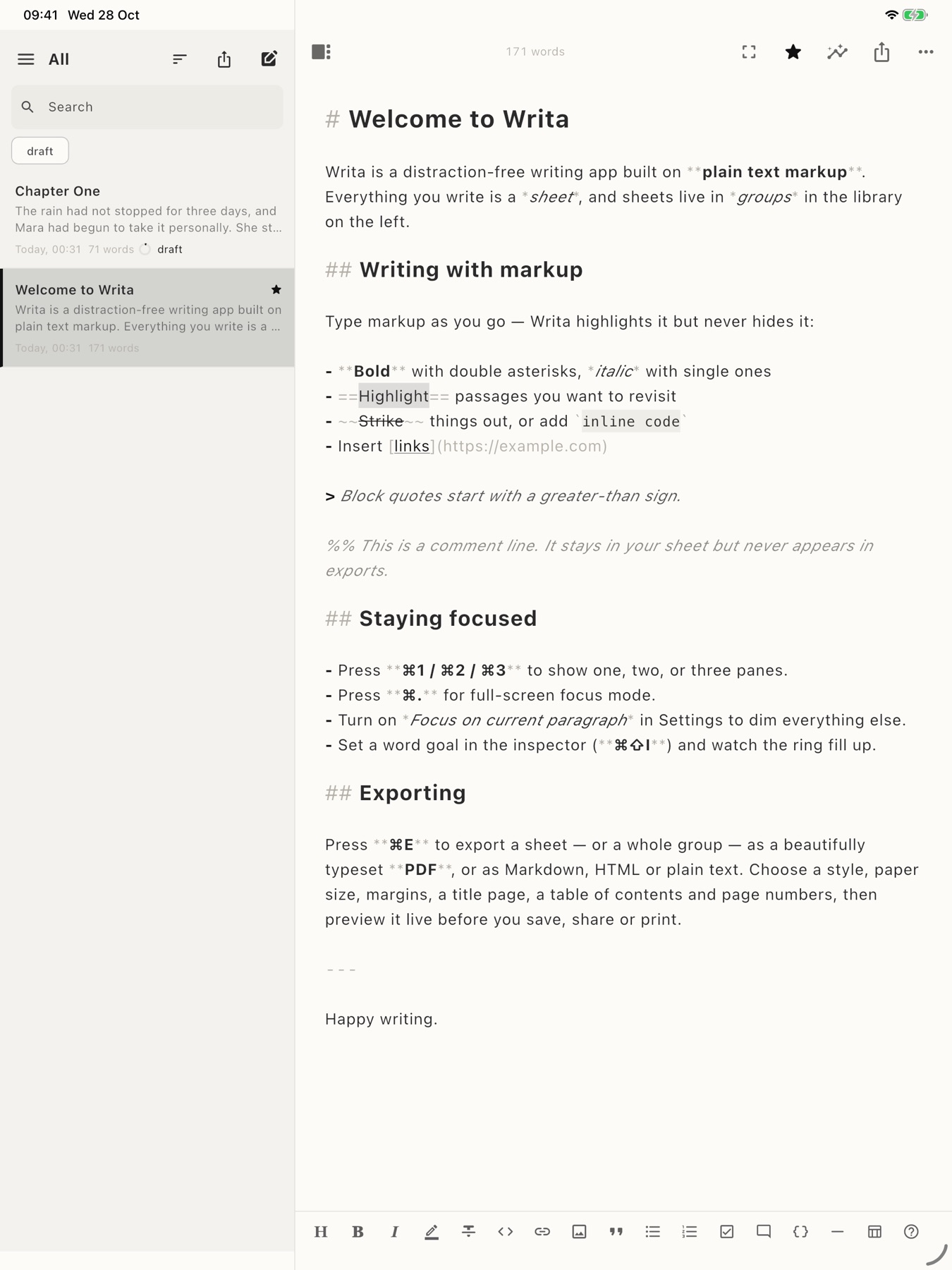
Novels, essays, journals, blog posts and notes. Writa keeps your words front and center and the tools out of sight until you need them.
Plain text, lightly formatted
Write headings, bold, italics, lists, quotes and links with simple markup. Writa highlights it as you type and never hides your text.
Focus and typewriter modes
Hide everything but the page, dim all but the paragraph you're on, and keep the current line at a steady height.
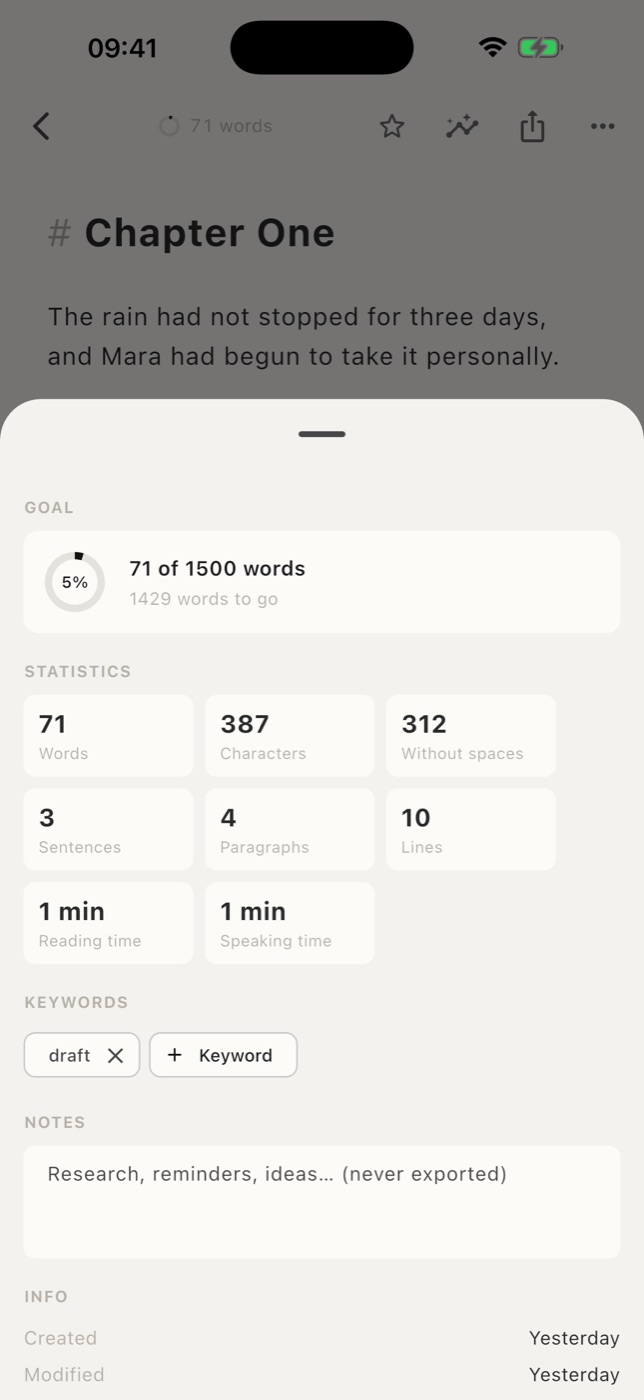
Word goals and statistics
Set a goal for any sheet and watch it fill up. Word count, reading time, notes and keywords are one tap away.
Sheets and groups
Everything you write is a sheet. Gather sheets into groups, nest groups inside groups, and search your whole library.
Images in your writing
Add photos and pictures right into a sheet. They're stored with your library and included when you export.
In sync with iCloud
On iPhone and iPad, your library syncs through your own iCloud account, so every device is up to date.
Focus
Just you and the page.
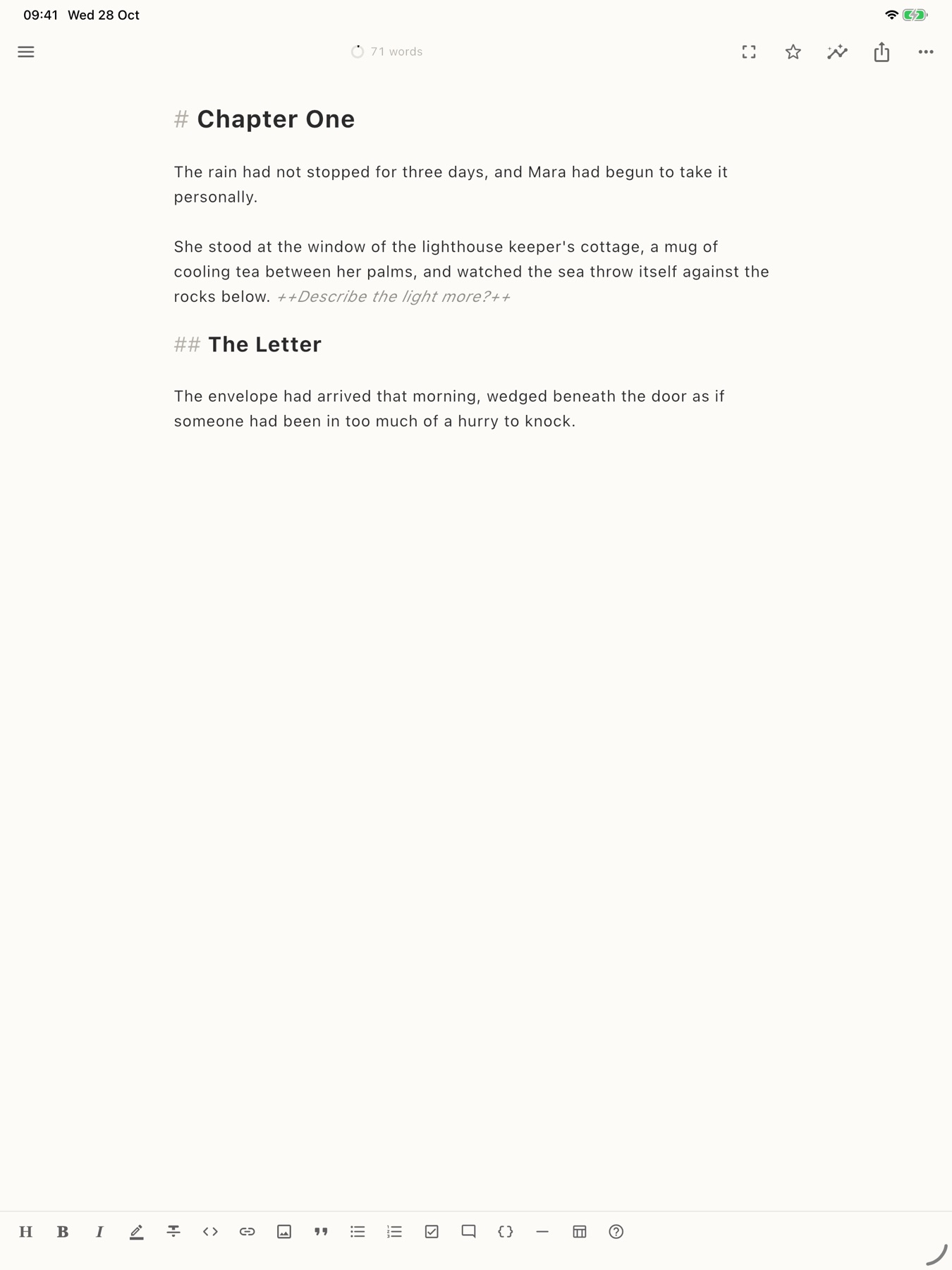
One tap and the library disappears. What's left is a calm, paper-colored page and the words you're working on.
- Full-screen focus mode
- Fade out everything but the current paragraph
- Choose your font, size, line spacing and width
- Light and dark themes
Export
Finished, beautifully.
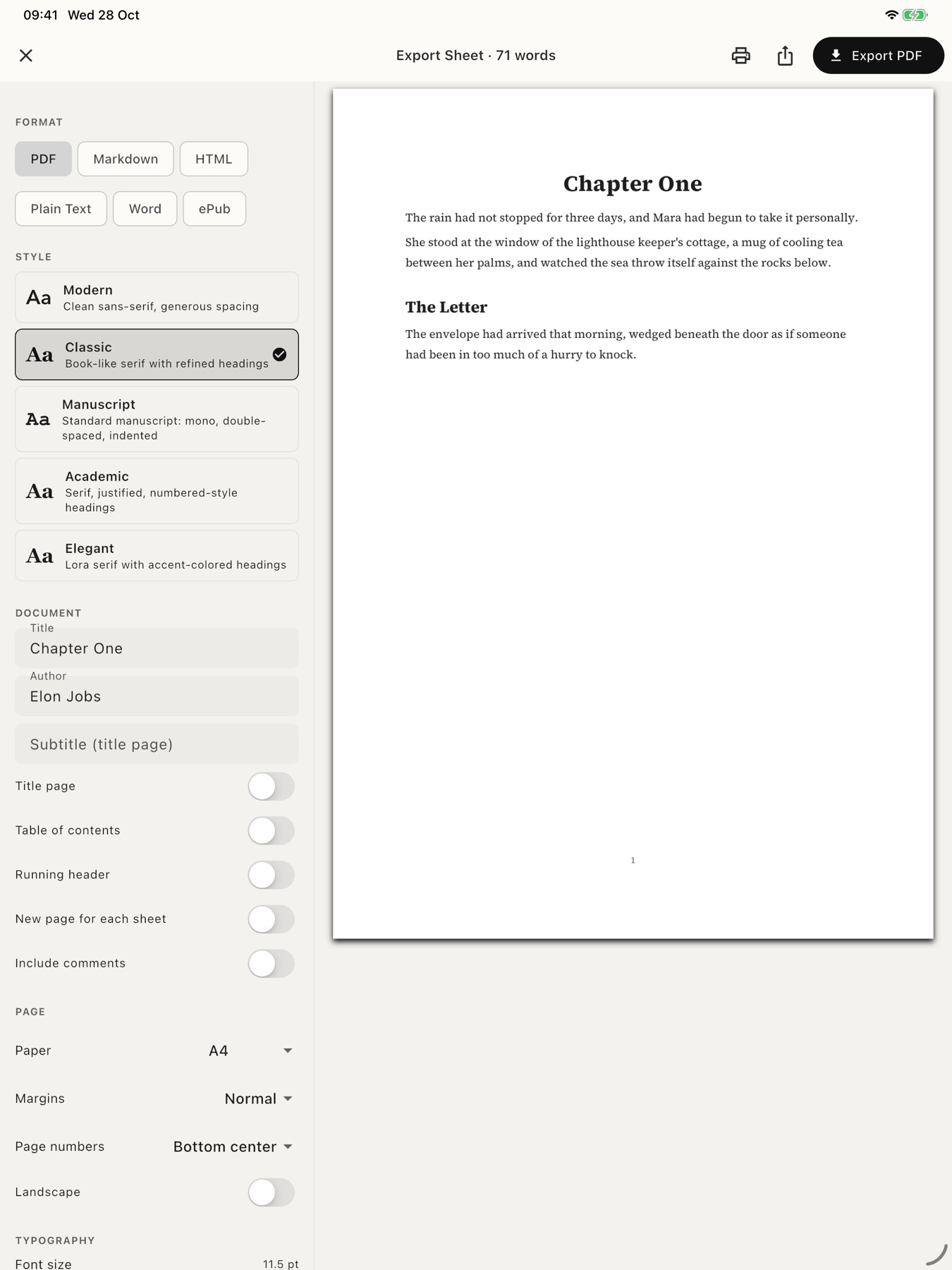
Turn a sheet, or a whole group, into a polished document. Pick a style, set the page, preview it live, then save, share or print.
- Five typographic PDF styles
- Title page, table of contents, page numbers and running headers
- Word files with real headings, lists, tables and images
Pricing
Free to write. Pro to go ad-free.
Every writing and export feature is free. Writa Pro removes the ads and adds a Pro app icon.
Writa
- Every writing, focus and export feature
- A small banner in the sheet list, never in the editor
Writa Pro
- No ads, anywhere in the app
- The Writa Pro app icon on iPhone and iPad
- Supports an independent writing app
Writa Pro is a 1-year auto-renewing subscription, billed through the App Store or Google Play. It renews automatically unless cancelled at least 24 hours before the end of the current period. Manage or cancel it anytime in your App Store or Google Play account settings. Prices may vary by country. See the Terms of Use.
Privacy
Your writing stays yours.
No accounts, no servers, no analytics. What you write stays on your device and, if you turn on sync, in your own iCloud. We never see it.